Service
A Service is method for exposing a network application that is running as one or more Pods in a cluster.
The Service API is an abstraction to help you expose groups of Pods over a network.
It is a Kubernetes API object similar to Deployment, Pod, ReplicaSet etc.
Why Service
Let's say you deployed a web application in your Kubernetes cluster. How do you access it? For example, we deployed Nginx in our Deployment tutorial. We know that Nginx by default provides us with a homepage. We did not create any DNS record like google.com or example.com for our Nginx homepage. Then how can we access it?
Let's deploy the Nginx again, this time with 2 replicas.
apiVersion: apps/v1
kind: Deployment
metadata:
  name: nginx-deployment
  labels:
    app: mydocs
spec:
  replicas: 2
  selector:
    matchLabels:
      component: frontend
  template:
    metadata:
      labels:
        component: frontend
    spec:
      containers:
      - name: nginx
        image: nginx:1.14.2
        ports:
        - containerPort: 80
kubectl apply -f deployment.yaml
The 2 Pods are running for this deployment.
vagrant@vagrant:~/kubernetes-tutorial$ kubectl get po
NAME                                READY   STATUS    RESTARTS   AGE
nginx-deployment-7f89f66ff6-l784n   1/1     Running   0          52s
nginx-deployment-7f89f66ff6-x9848   1/1     Running   0          52s
How do we access the Nginx default homepage from this deployment? Let us get the IPs of the Pods and try to access.
vagrant@vagrant:~/kubernetes-tutorial$ kubectl get po -o wide
NAME                                READY   STATUS    RESTARTS   AGE   IP            NODE       NOMINATED NODE   READINESS GATES
nginx-deployment-7f89f66ff6-l784n   1/1     Running   0          18m   10.244.0.36   minikube   <none>           <none>
nginx-deployment-7f89f66ff6-x9848   1/1     Running   0          18m   10.244.0.37   minikube   <none>           <none>
Let's access the Nginx homepage by taking one of the Pods' IP.
vagrant@vagrant:~/kubernetes-tutorial$ curl 10.244.0.36:80
curl: (7) Failed to connect to 10.244.0.36 port 80 after 21010 ms: Couldn't connect to server
If you remember, our minikube is running on the Ubuntu which has the host IP 192.168.56.17.
vagrant@vagrant:~/kubernetes-tutorial$ip a
...
3: eth1: <BROADCAST MULTICAST UP LOWER_UP> mtu 1500 qdisc fq_codel state UP group default qlen 1000
link/ether 08:00:27:ae:7f:b8 brd ff:ff:ff:ff:ff:ff
altname enp0s8
inet 192.168.56.17/24 brd 192.168.56.255 scope global eth1
valid_lft forever preferred_lft forever
inet6 fe80::a00:27ff:feae:7fb8/64 scope link
valid_lft forever preferred_lft forever
...
So, our Ubuntu host cannot connect to the Pod IP 10.244.0.36 or any other Pod in the cluster for that matter.
Because our Ubuntu host does not know what that IP is or how to reach that server.
So, how to access then.
One way is to login/SSH to the Kubernetes master node (minikube in our case) and hit the Pod IP along with the port the application is running on.
minikube ssh
curl 10.244.0.36:80

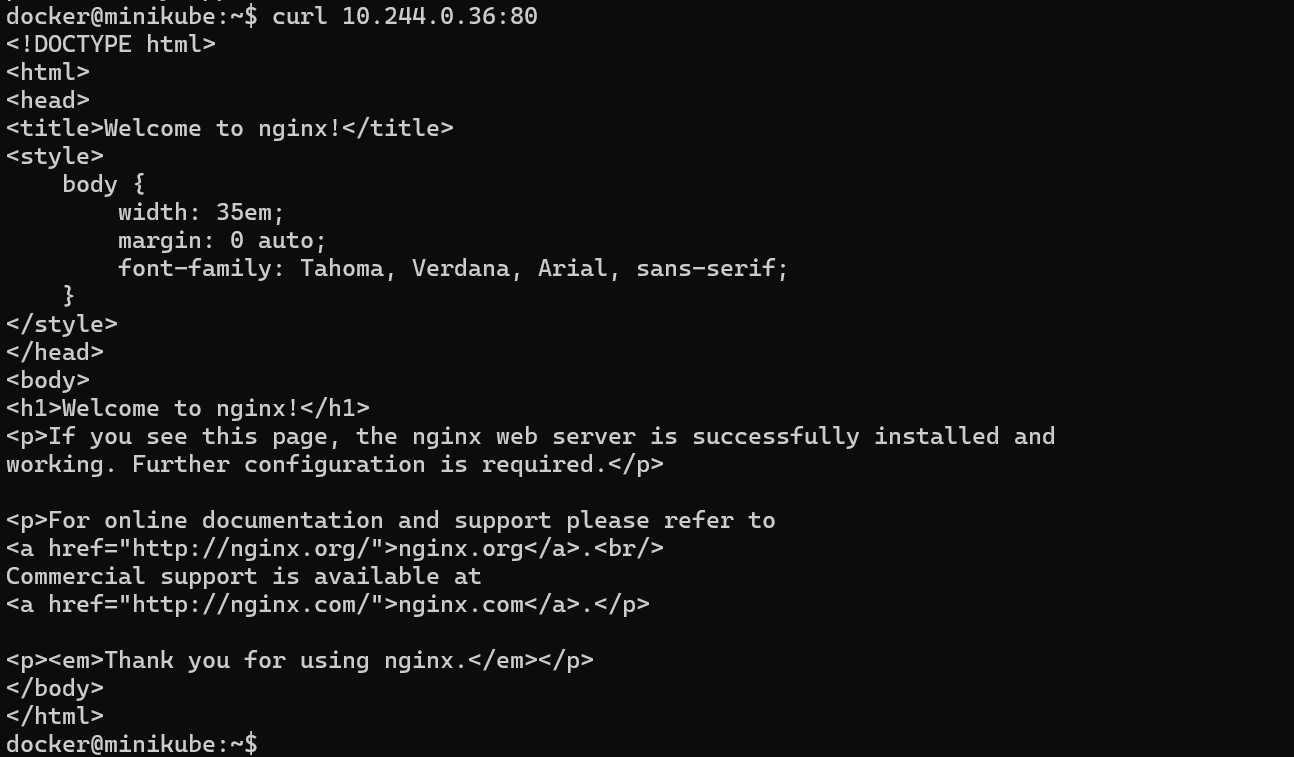
But is it feasible to SSH into the cluster and then hit the Pod IPs everytime? No.
So, Kubernetes Services API provides 3 types of services:
- ClusterIP
- NodePort
- LoadBalancer
When a Service of any of these types is created, it will handle the incoming requests and forwards them to the backend Pods. This way it acts as an abstraction layer.
Advantages of Service
- Load Balancing - Service takes the incoming requests and distributes across the backend Pods using routing algorithms like Round Robin etc.
- Service Discovery - In a Deployment several Pods come up and go down. Service automatically discovers the new Pods and routes user requests to them thus avoiding the need to remember Pod IPs. Service achieves this via
labels.
Let's get into these service types one by one.